
Custom-built by Jiabei Software for SCOTT GARDNER DESIGN LLC’s Kennel Release smart kennel lock product line — control and share your kennel lock easily from one phone with a single tap.
The client wanted users to reliably manage kennel locks from mobile devices without complicated registration. The core requirement focuses on one-tap control and simple sharing. We delivered a lightweight control App for both iOS and Android.
Dedicated companion control App for the smart kennel lock hardware
Out-of-box experience with no registration or complex setup
Support family sharing for one lock and multi-device management
Real-time lock status synced to the cloud
BLE provisioning + cloud binding: complete onboarding in three steps
One-tap lock / unlock home screen with clear status display
QR code binding & sharing for household co-management
Device settings: auto-relay delay, unbind, firmware info
Designed for simplicity, reliability and sharing
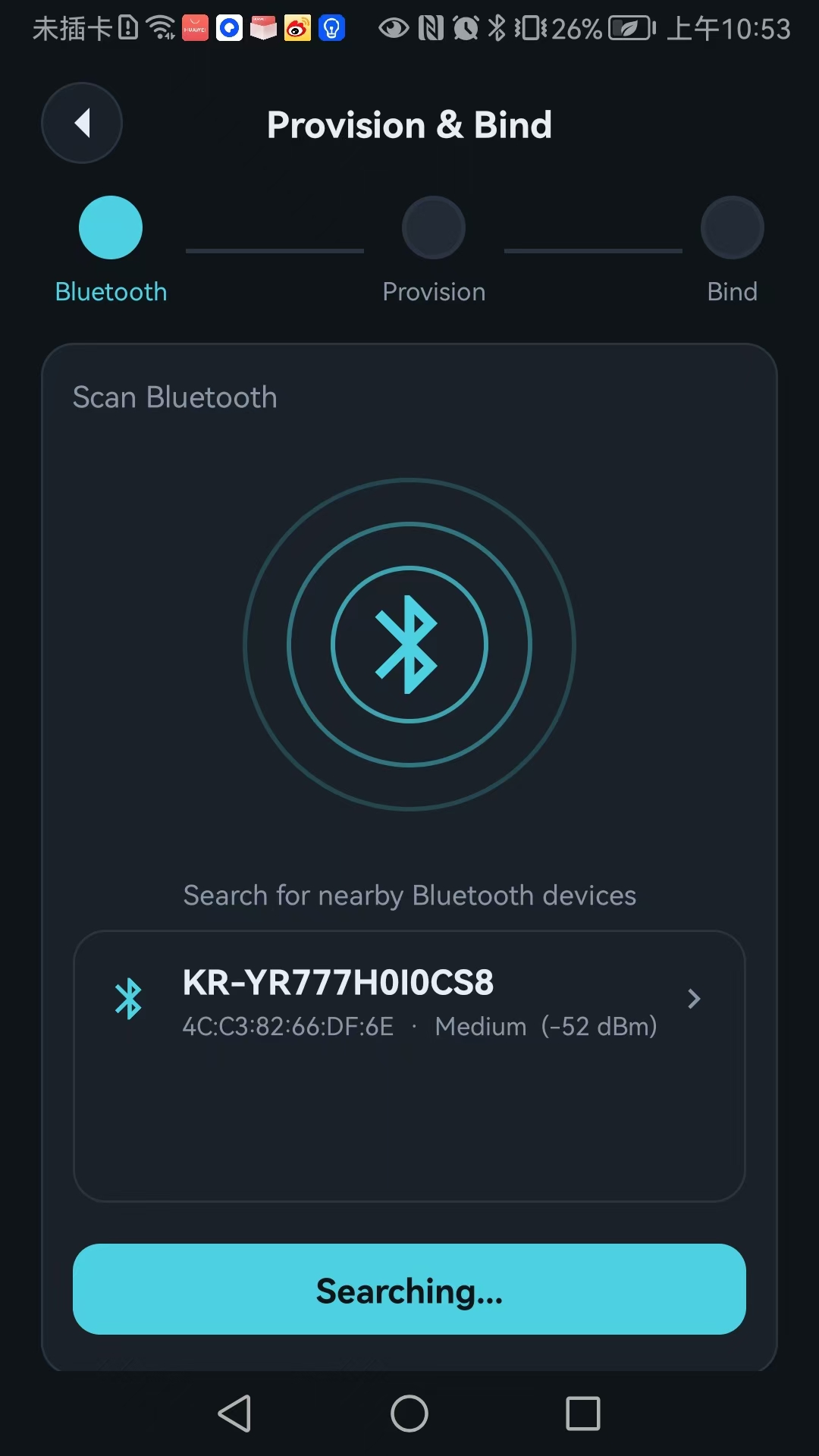
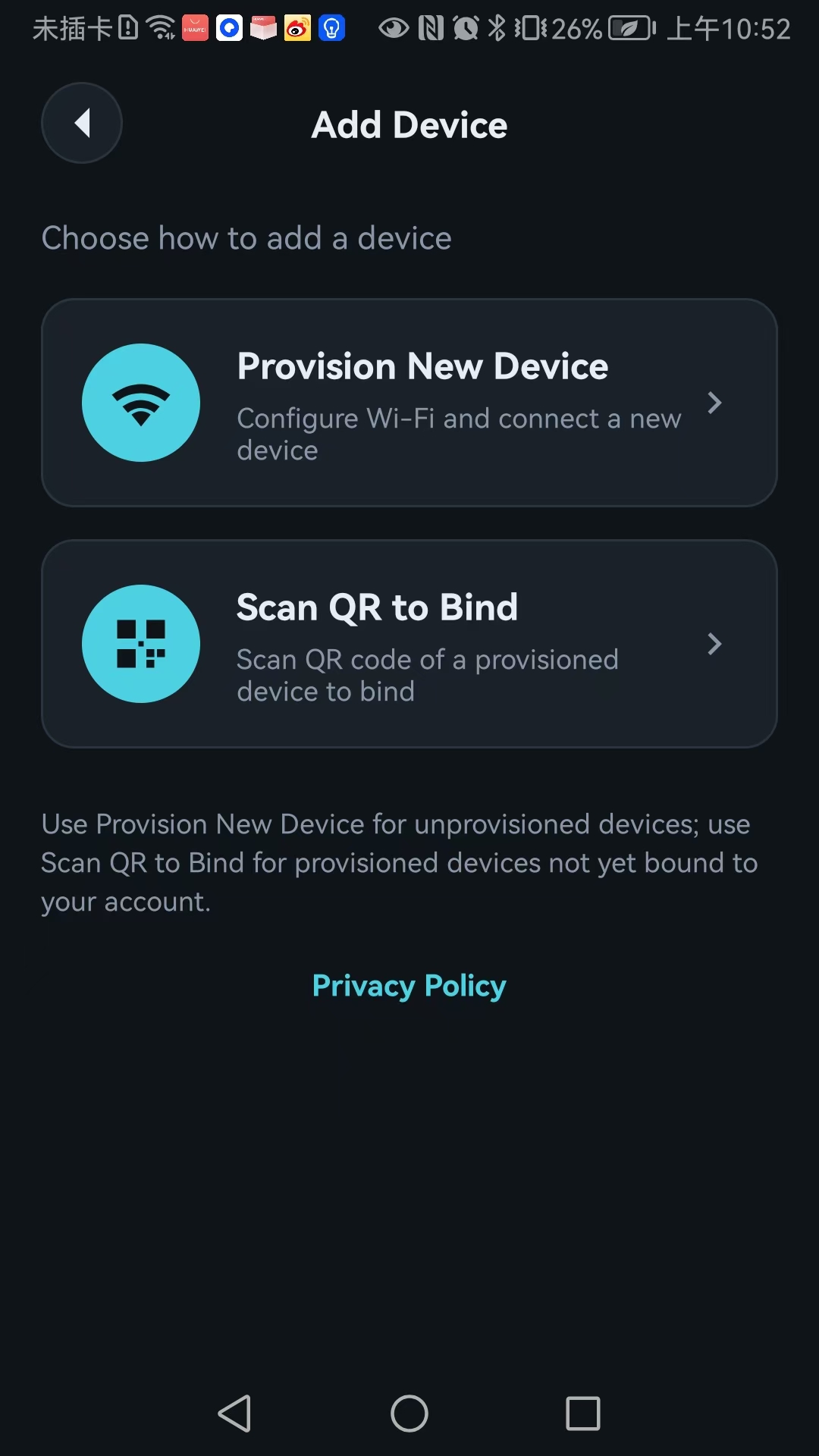
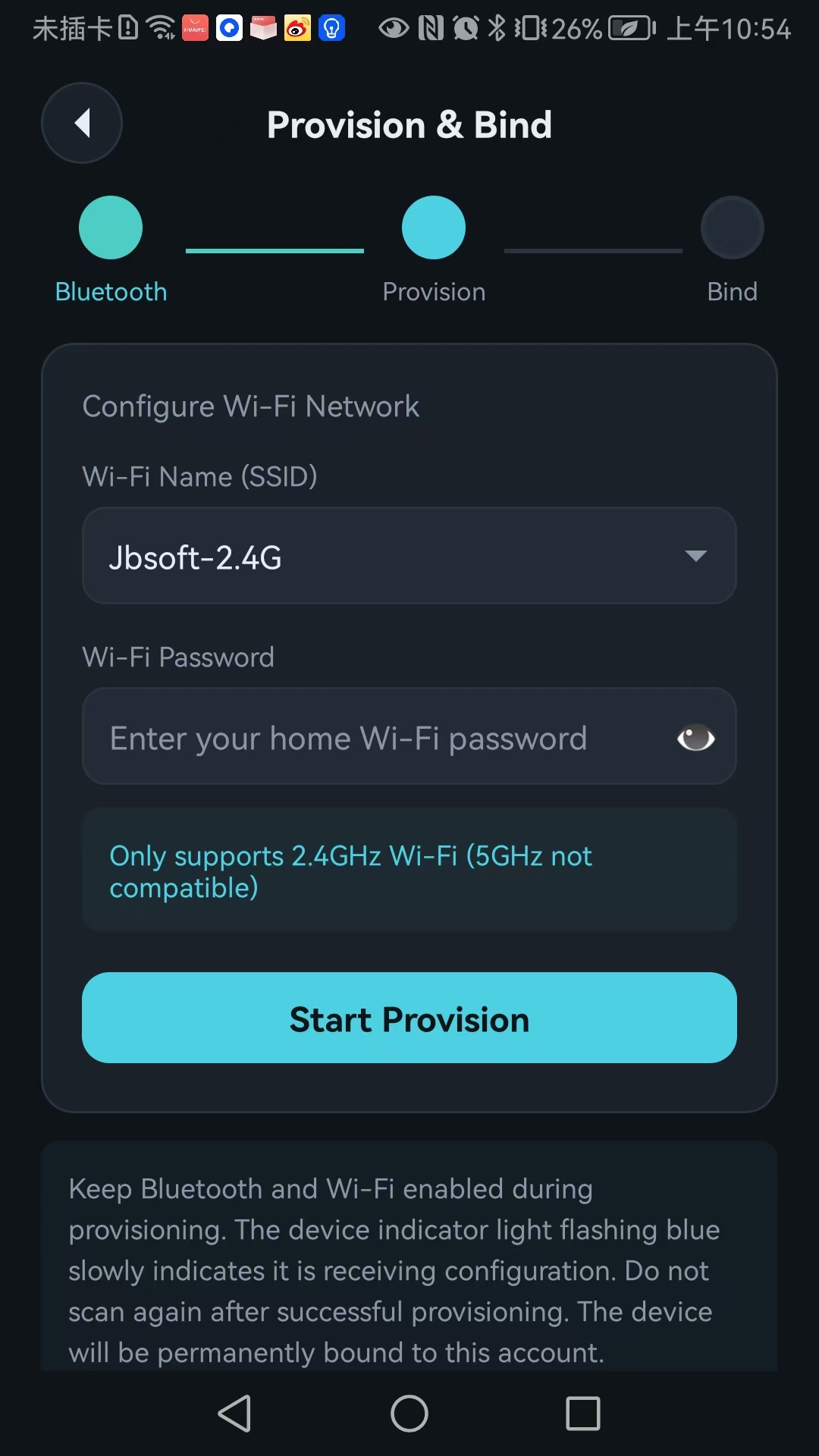
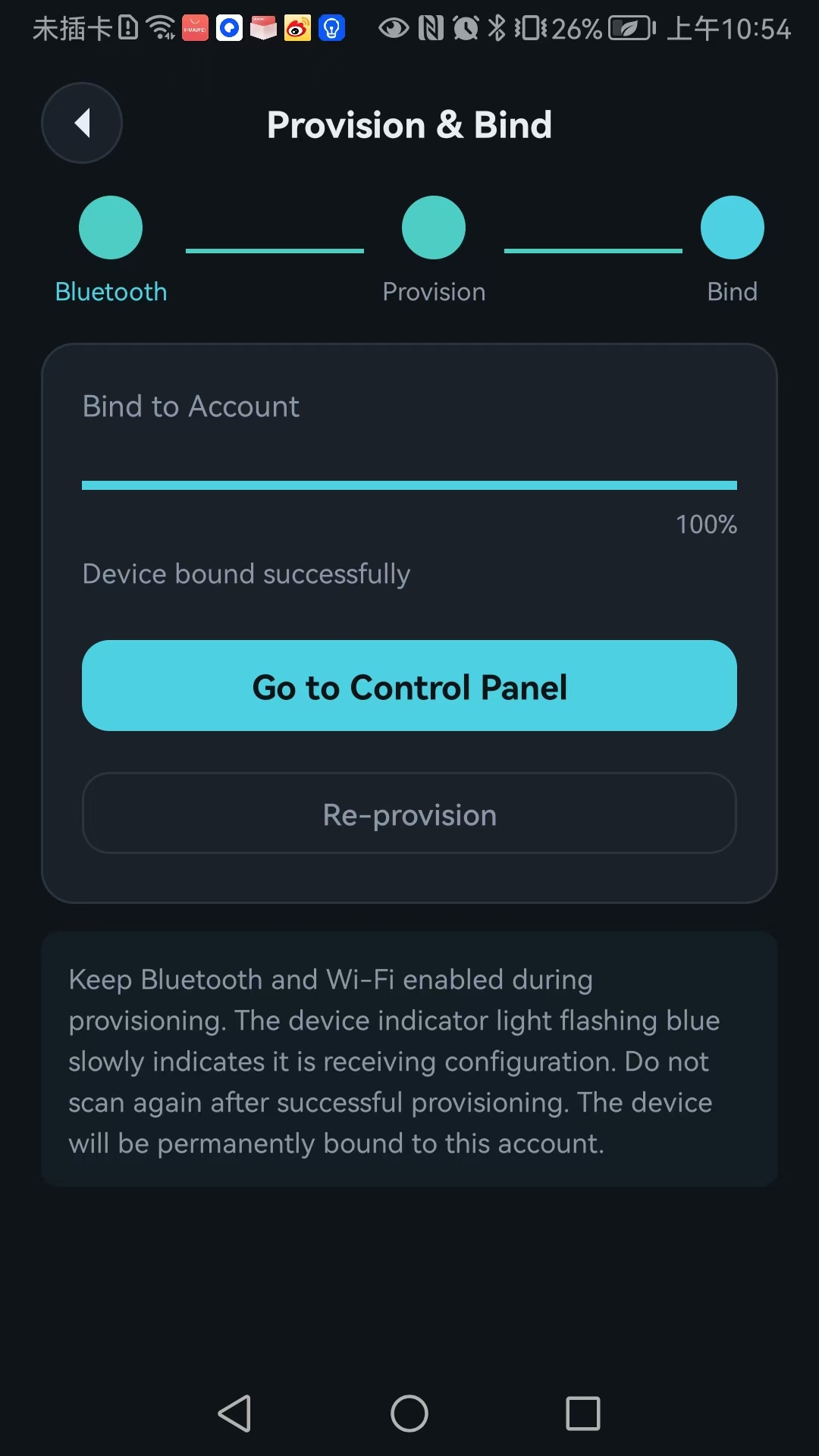
Tap “Start Search” to discover nearby devices on first use. Complete BLE connection → Wi-Fi configuration → cloud binding in roughly 2 minutes. No manual device ID entry. 2.4GHz Wi‑Fi only supported.
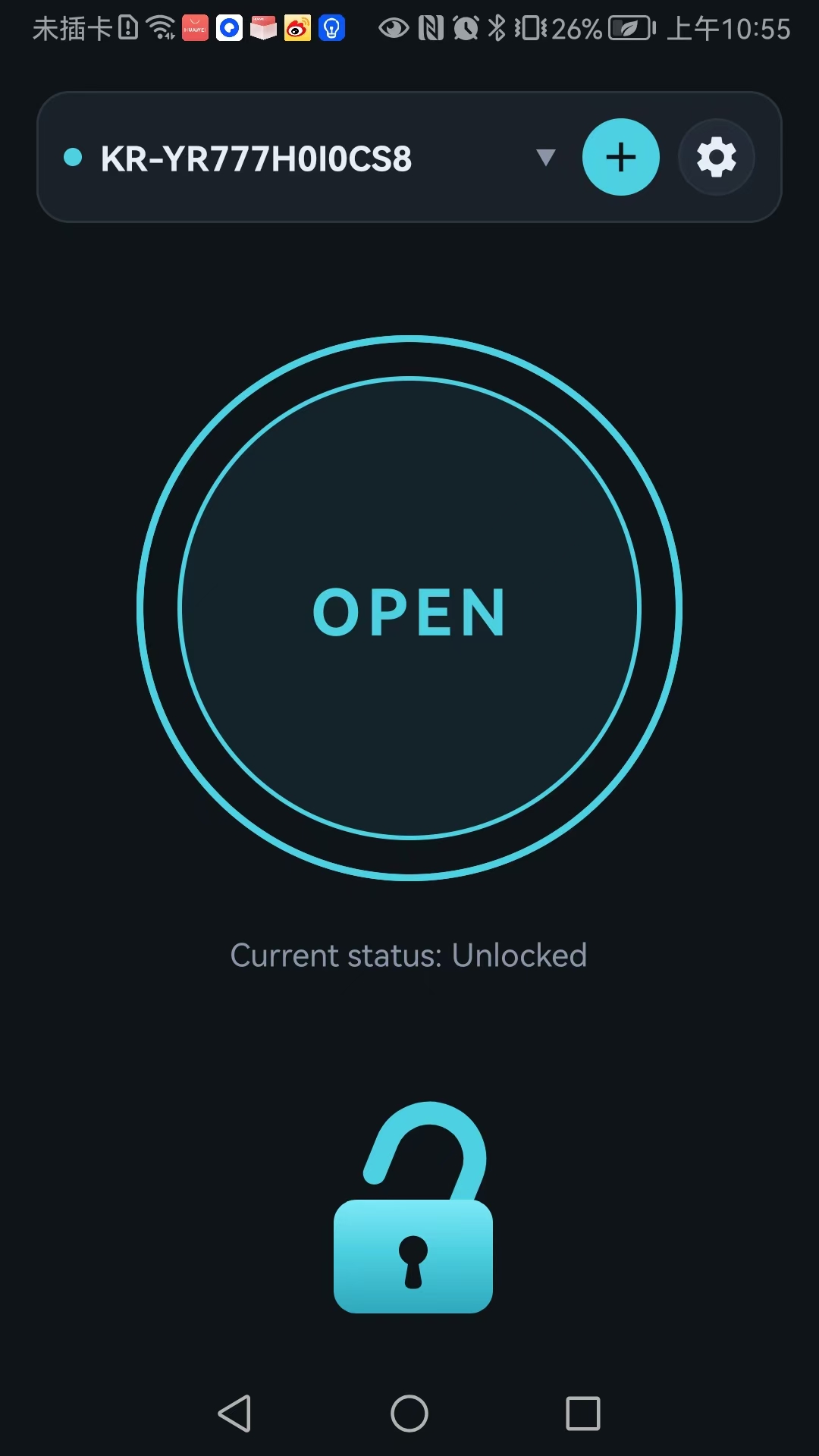
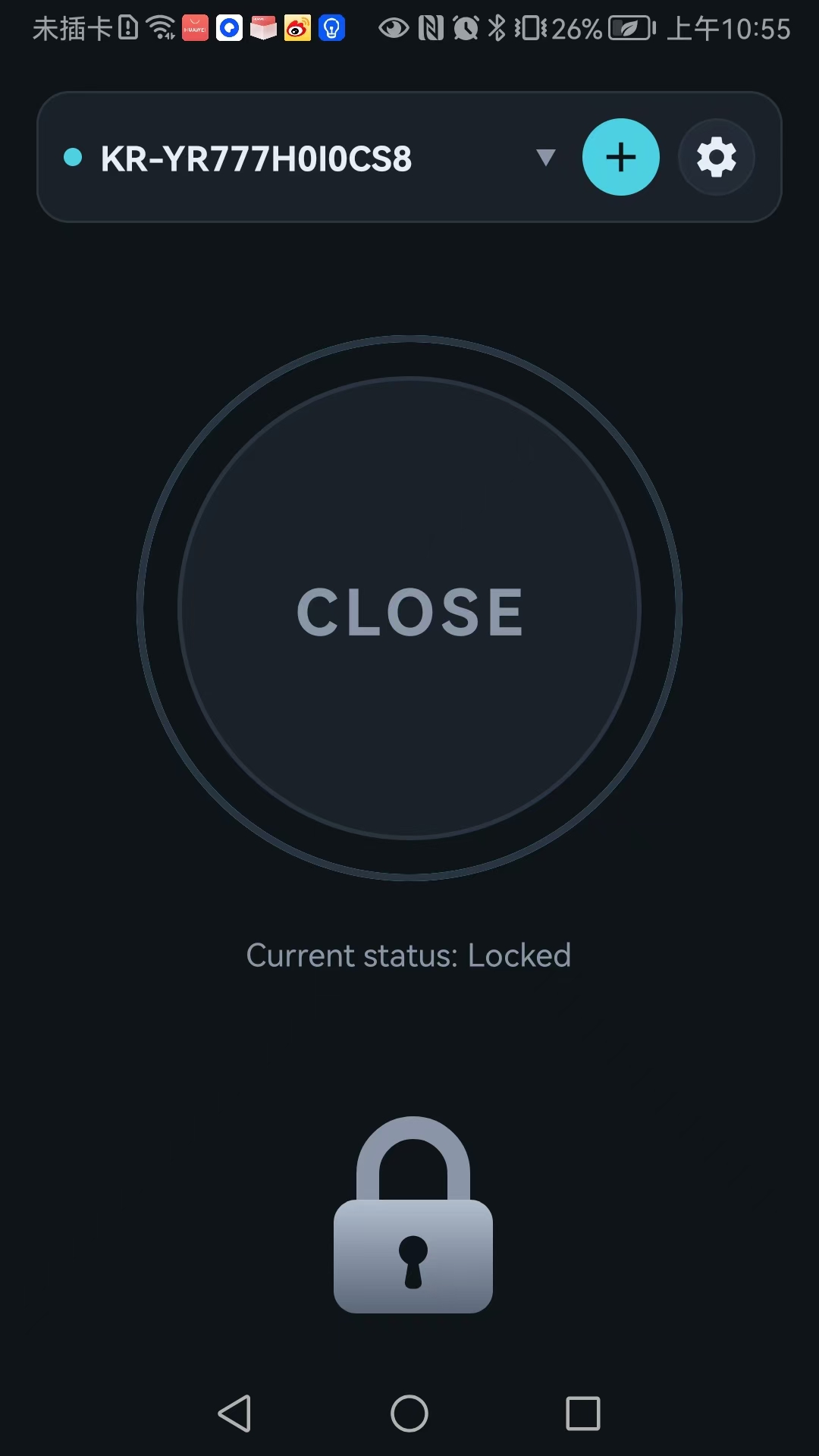
The home dashboard features one large action button: OPEN shown in solid teal when unlocked, CLOSE as grey outline when locked. Current status updates instantly and syncs to cloud for remote monitoring.
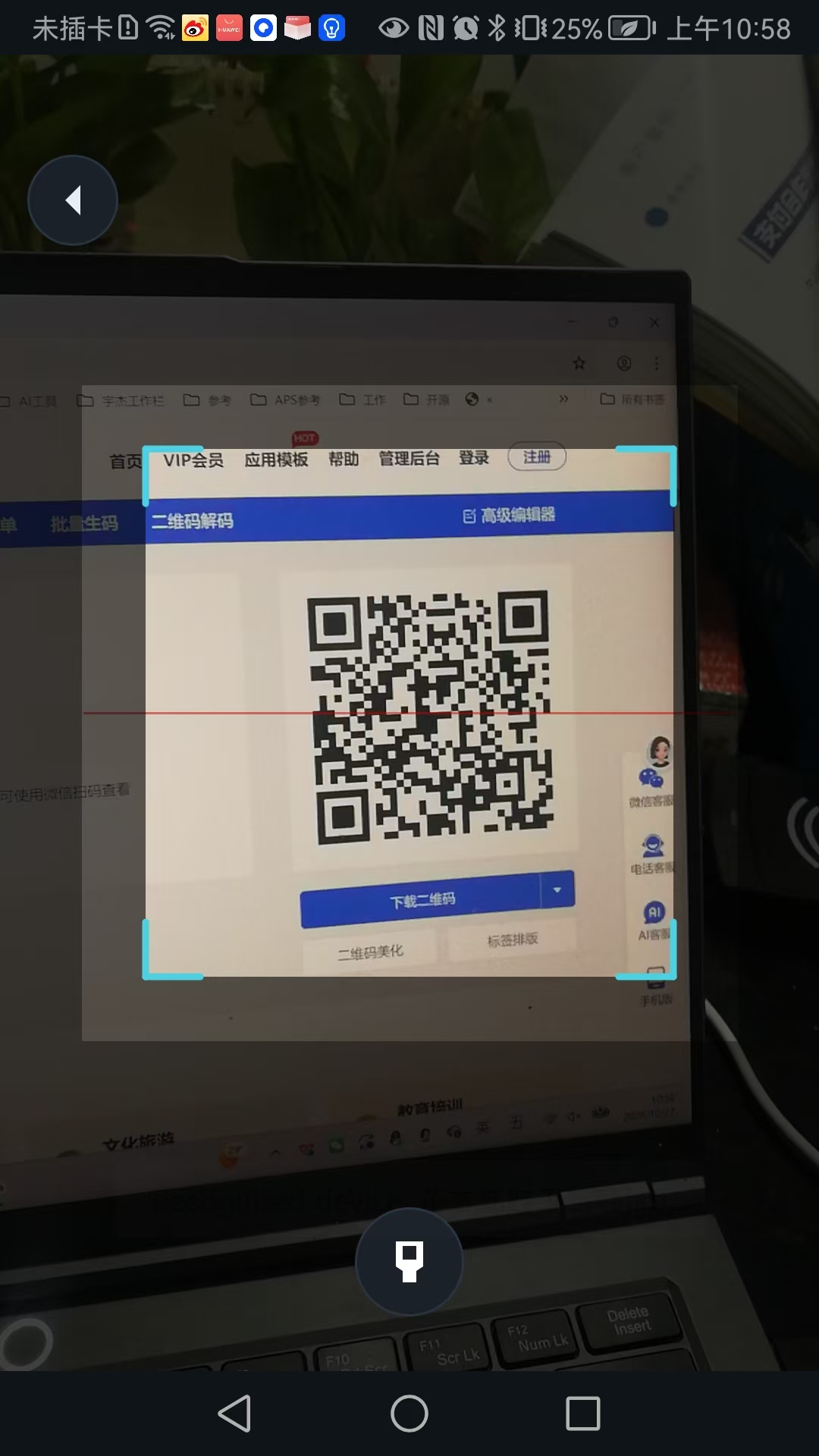
Already-online devices can be added by scanning QR codes for family co-management. A dedicated sharing QR is available in device settings; scan from another phone to join without reconfiguring.
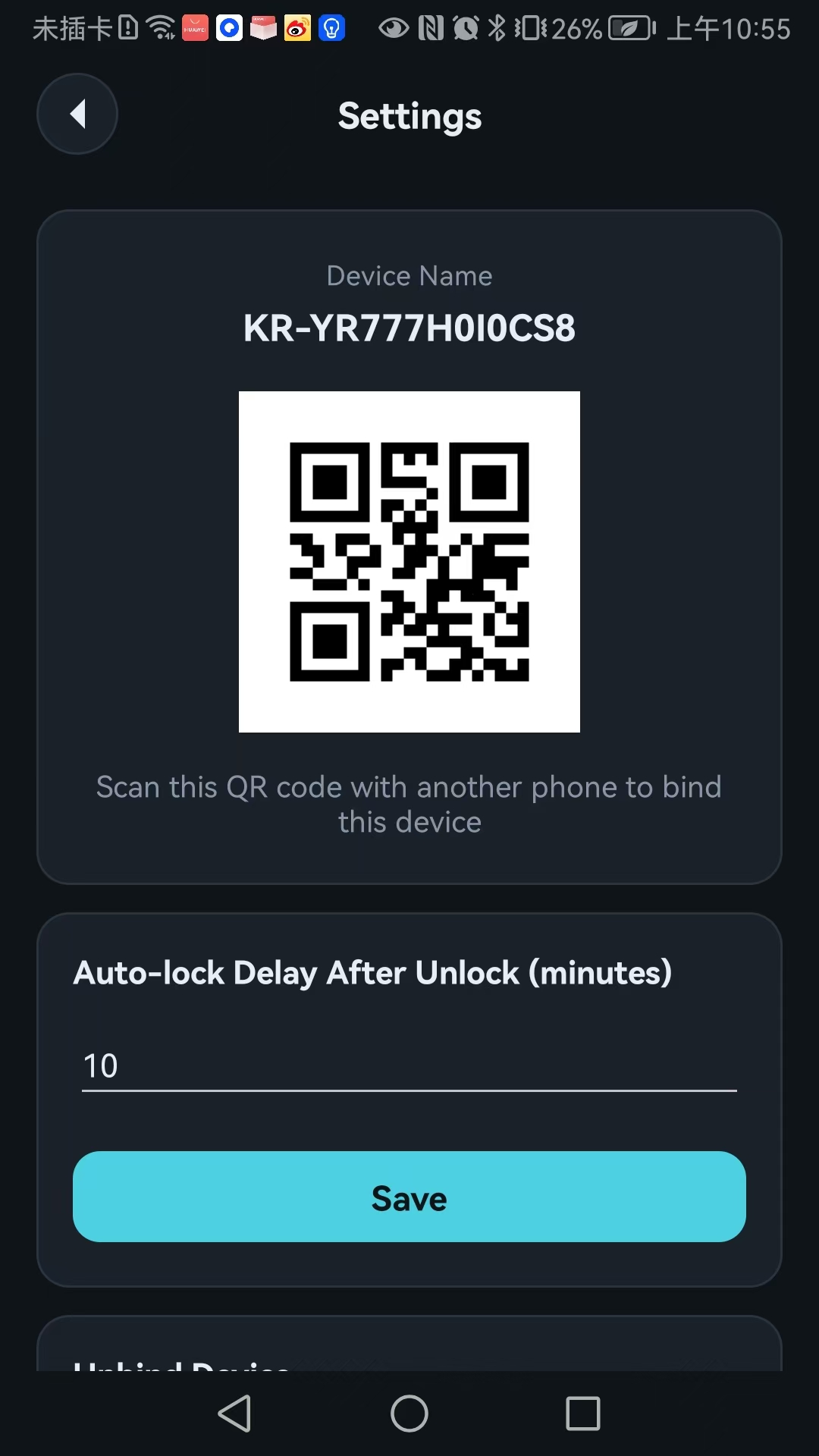
Switch between multiple kennel locks from the top dropdown; indicator dots show online status. Configure auto-lock delay (default 10 mins), unbind devices and view firmware details. Manage all locks centrally from one phone.
Actual UI and delivery preview
Design choices focused on stability and usability
Open and use immediately, no account required to lower onboarding friction.
BLE discovers devices and sends Wi-Fi credentials; 2.4GHz band only.
Automatically registers to cloud after Wi-Fi connected, no manual input.
Lock state updates instantly, consistent between mobile App and hardware.
Manage multiple kennel locks in one App with clear online indicators.
Invite household members by QR code for shared pet kennel management.
Spouse or family members scan and use instantly, remote kennel release without repeat setup.
Monitor and control many kennel locks centrally from a single phone.
Remote release and configurable auto-lock delay to reduce on-site visits.
Software Development Consultation
For online communication, please click Online Consultation
Consultation Hotline:
13412889989